
FTB: Making taxes due payments online
To make online payments to the FTB, you have two main options: (1) by making an account, or (2) by paying as a guest, without an account. We recommend creating an account to track your payments; however, this article provides step-by-step instructions for proceeding without one.
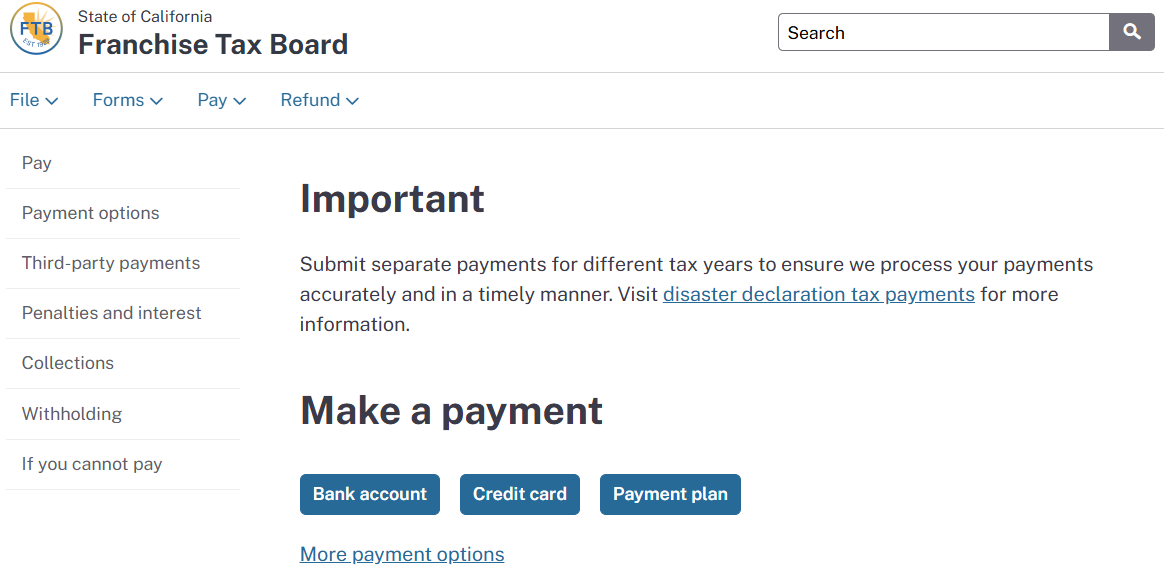
To make online tax payments to the Franchise Tax Board (FTB) of California without making an account, direct your internet browser to https://www.ftb.ca.gov/pay/. Here, you have three options for payment methods:
- Bank Account: This free method lets you pay your taxes with your checking or savings account, similar to an electronic check. You will need your checking and routing numbers.
- Credit Card: This method allows you to pay your taxes using a credit card (Visa, Mastercard, American Express, etc.). However, you will pay a processing fee, currently 2.3%.
- Payment Plan: Instead, if you wish to set up a payment plan, contact our office for assistance.
We recommend you choose Bank Account. Next, select if this payment will be for yourself (or you/your spouse, or your Sole Proprietorship) or a separate business entity. You will then need to log in to the payment platform.
Individuals
You will need to enter the Name and Address of the Primary Taxpayer, as it appeared on your most recent return. The primary taxpayer is the taxpayer listed first on the tax return.
- Select a Payment Type: select Tax Return Payment
- Tax Year: Select the current year.
- Enter the Payment Amount and Payment Date.
- Is this a joint tax payment?
- Select Yes *only if your filing status is Married Filing Jointly.
- If your filing status is Single, Married Filing Separately, or Head of Household, select No.
- Click Continue >.
- If applicable, enter your spouse's information.
Next, you will enter your Bank Account Information (account number and routing number).
Before you conclude, be sure to save the confirmation for your records!
We recommend uploading it to our secure portal or emailing it to documents@phillipsgrouptax.com.
Businesses
- Select your Entity Type.
- Enter your Entity ID: Hint: this is not your SSN or your federal EIN.
- Your Entity ID can be found on your California business tax return.
- You can also find it on the California Secretary of State website by clicking here and entering your business name.
- If you still have trouble, call our office, and our staff will be happy to assist you.
- Contact Information: Enter the information of one of the corporate officers/owners.
- Select Form 100.
- Select Original Return Payment.
- Period Beginning and Ending Dates:
- If your business (like most) uses a calendar year, enter January 1 and December 31 of the current year.
- If your business uses a different Fiscal year, enter the first and last dates of the fiscal year.
- Payment Amount and Payment Date of each estimated tax payment (at least one payment but no more than four).
Next, you will enter your Bank Account Information (account number and routing number).
Before you conclude, be sure to save the confirmation for your records!
We recommend uploading it to our secure portal or emailing it to documents@phillipsgrouptax.com.